
ExperienceIndependent appIn progress
HUNR
Work in progressHunar means skill, talent, craftsmanship. HUNR is a collaboration platform for people whose skills rarely get treated as a starting point, like homemakers, retirees, people in mid-life and first-time entrepreneurs. It helps them find collaborators and communities, and turn an idea into something they build together. I am designing and building it on my own, alongside Tonyte.
At a glance
- Status
- Work in progress — not launched
- Problem
- People with practical skills or an idea often lack the one other person who could help, and most collaboration tools expect a pitch or a professional profile.
- For
- Homemakers, retirees, people in mid-life and first-time entrepreneurs, starting in Indian cities.
- Approach
- Skills first: people describe what they are good at, not a job title, and every idea shows what its author brings and still needs.
- My role
- Solo: concept, name and identity, UX/UI, a React web app and a React Native version, both on Firebase.
- Working journey
- Sign up → onboarding (skills, goals, city) → idea feed → share an idea → find people and connect → message. Runs end to end in the web app on Firebase, tested locally with sample accounts.
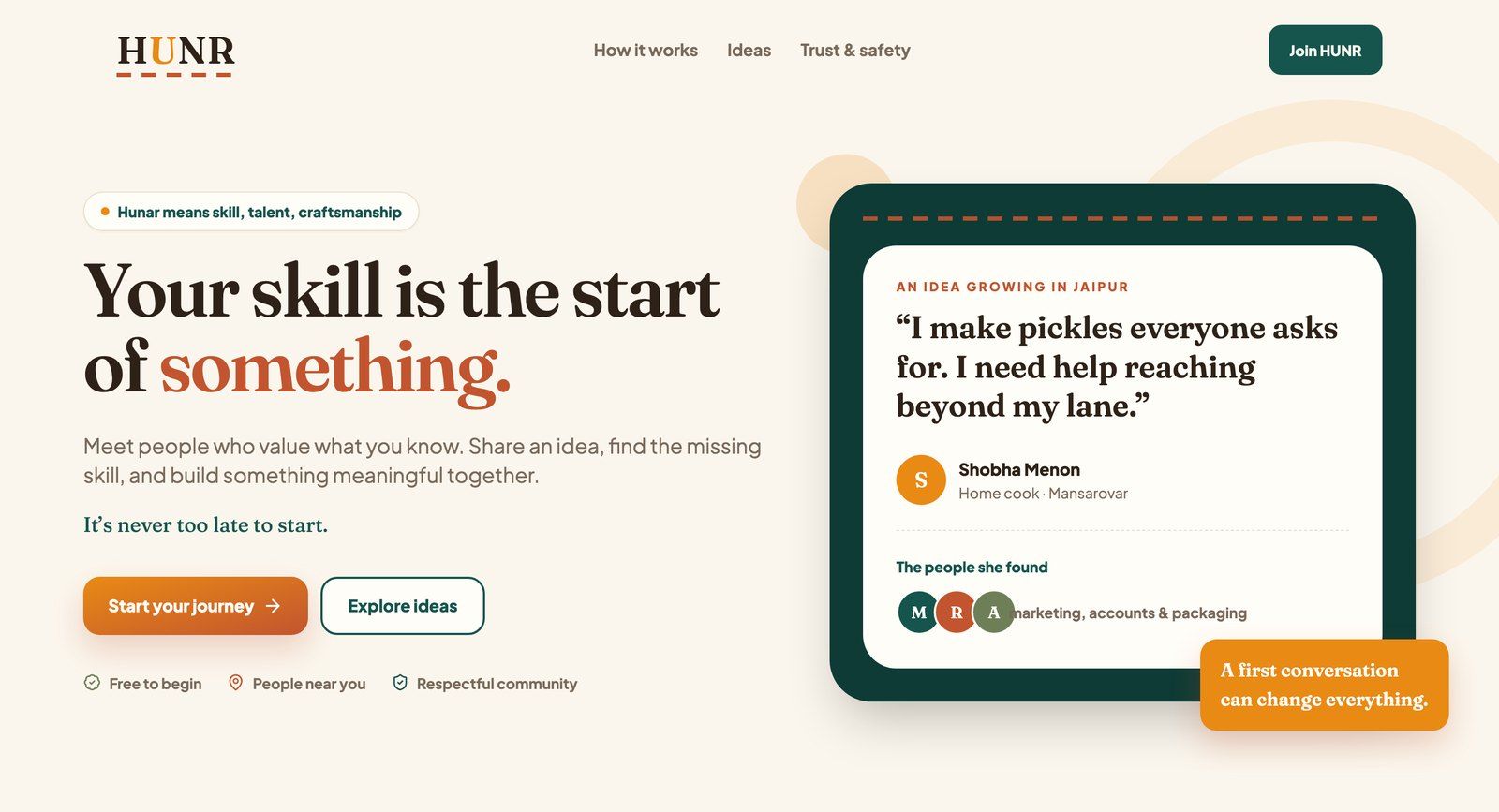
01What HUNR is, and who it’s for
A lot of ability never turns into anything because one piece is missing, and that piece is usually another person: the home cook needs someone for deliveries, two retired teachers need someone to keep the books. Co-founder platforms, meanwhile, expect a pitch, a portfolio or a professional profile.
HUNR starts from the skill instead. You say what you are good at and who you hope to find, then meet ideas and people whose skills fit with yours. In the app’s own words: you do not need a business plan, only to know what you can offer and who might help. The first version is written for Indian cities.
02Designing for people without a job title
Skills before titles
Many of the people HUNR is for have no job title that describes what they can do. Onboarding asks “What are you good at?” and offers everyday skills like tailoring, home cooking or accounts, rather than a CV or a headline.
One question at a time
Each onboarding step asks one thing, shows how far along you are, lets you go back, and only moves on when the step is answered. Nobody is faced with a long form on day one.
Permission to be unpolished
The posting form tells people to write “as if you are telling a neighbour over tea”. Placeholders give concrete examples, like “Tiffin service for office workers”, so nobody feels they need business language.
Make the match visible
Every idea shows what its author has and what they need, and every person shows their skills and what they are looking for. That makes it easy to see where you fit without reading everything.
Large targets, plain words
Choices are big tap targets with icons and short explanations, the text is generous in size, and form fields and icon buttons carry proper labels for screen readers.
Encouragement over metrics
The tone is deliberately warm: “It’s never too late to start.” The profile shows a journey and one next step rather than follower counts. It is meant to feel like a nudge, not a leaderboard.
03The journey that works today
These screenshots come from the web app running on my machine against a local test database with the app’s real security rules. The names and ideas are sample accounts I created to walk through the flow. They are not real members. The app itself is in English.
Step 1 · Onboarding
Say what you are good at, and who you hope to find
Four short steps, one question each: a welcome, your skills, what kind of person you are looking for, and your city. You can go back at any point, and you cannot continue until the step is answered.
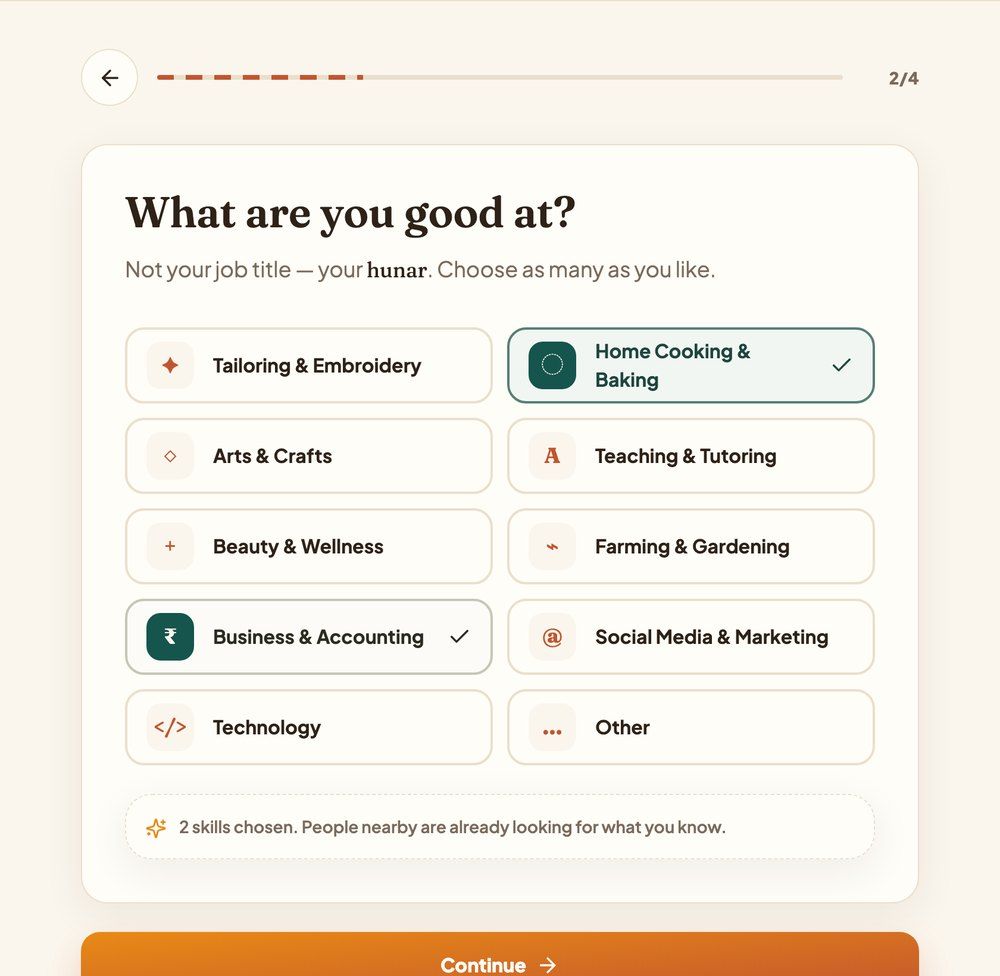
“Not your job title, your hunar.” Skills are large tiles you tap, not a form to fill in. 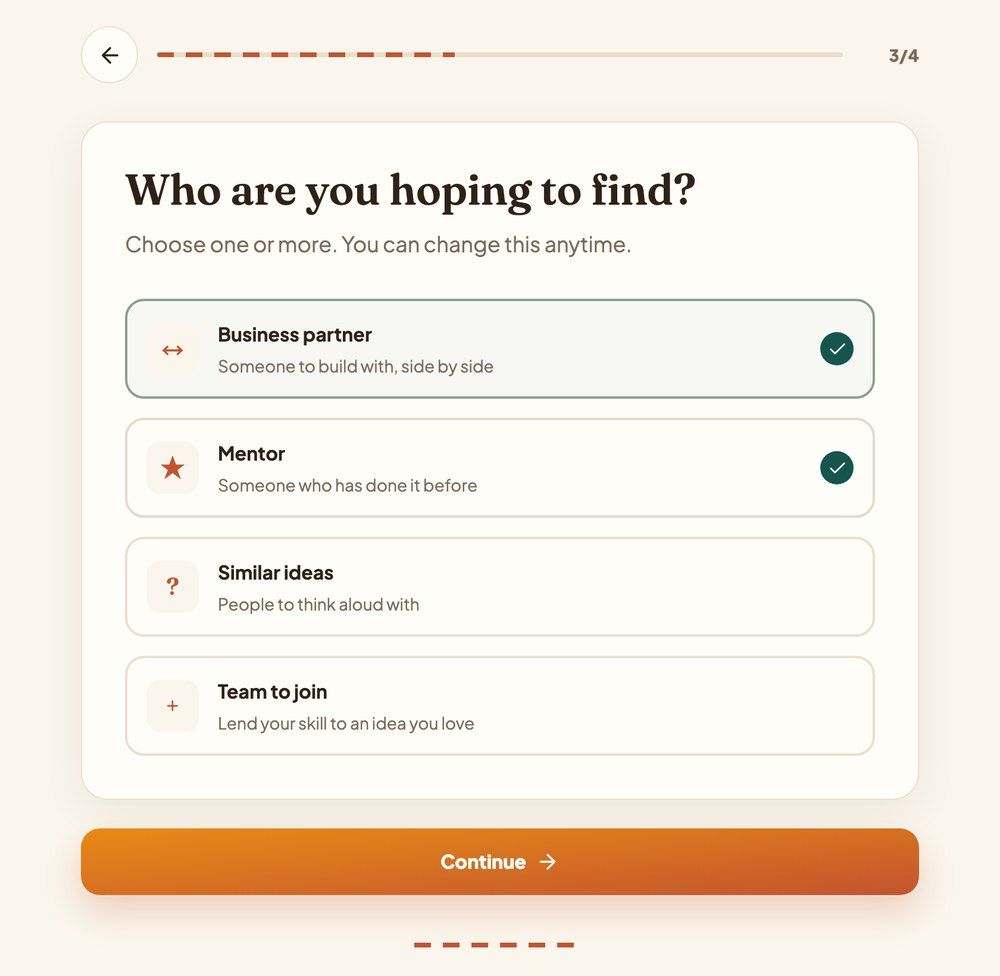
Each goal has a one-line explanation, such as “Someone who has done it before”. Step 2 · Ideas
Browse ideas that are looking for a skill like yours
The feed shows every shared idea with what the author brings and what they are looking for. You can search, filter by topic, save an idea or say you are interested, which tells the author.
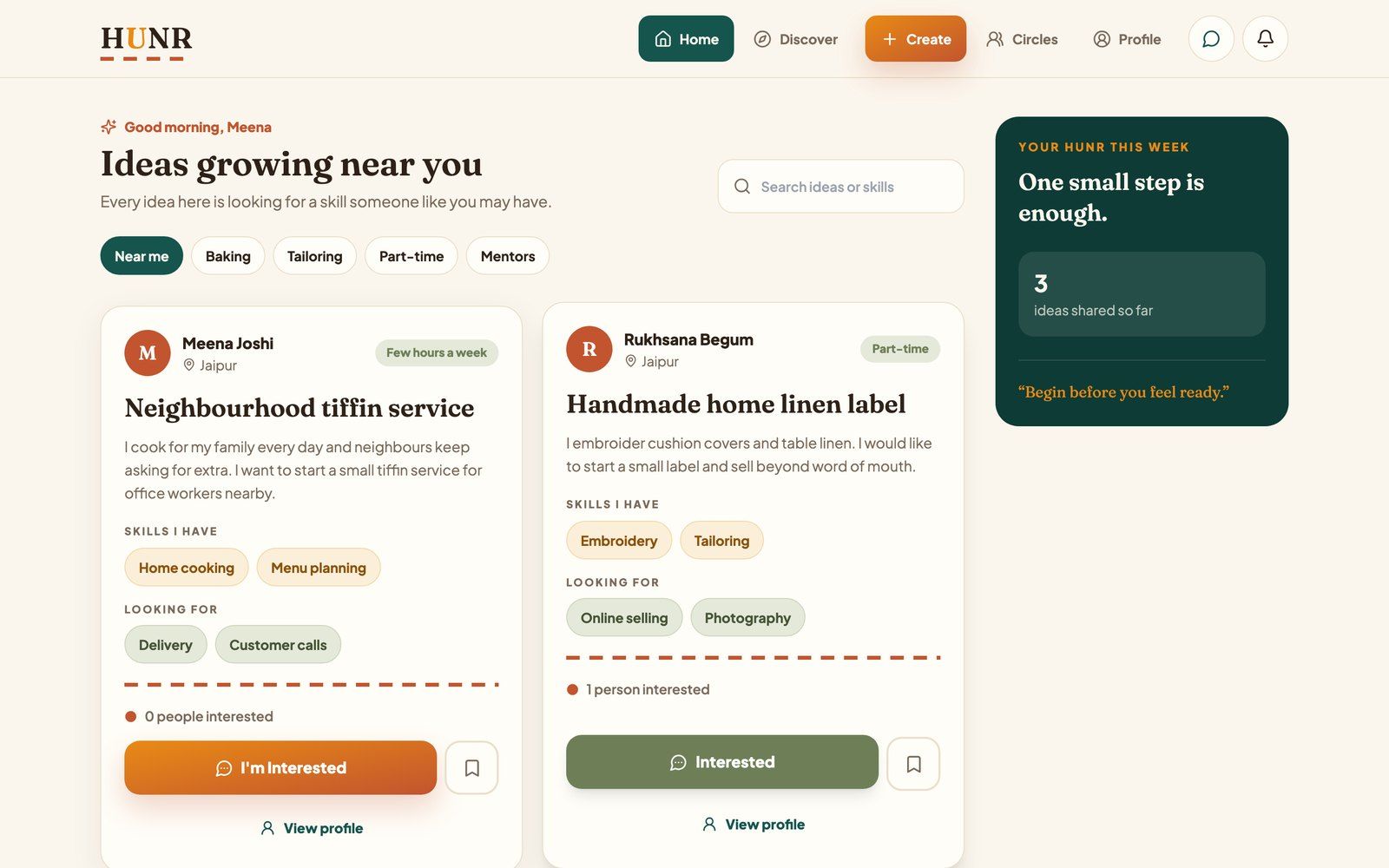
Every card shows both sides of the match, “Skills I have” and “Looking for”. Sample content. Step 3 · Share
Post an idea in plain words
A short form asks for a title, a description, the skills you bring, the skills you need, your city and how much time you have. The idea appears in everyone’s feed straight away.
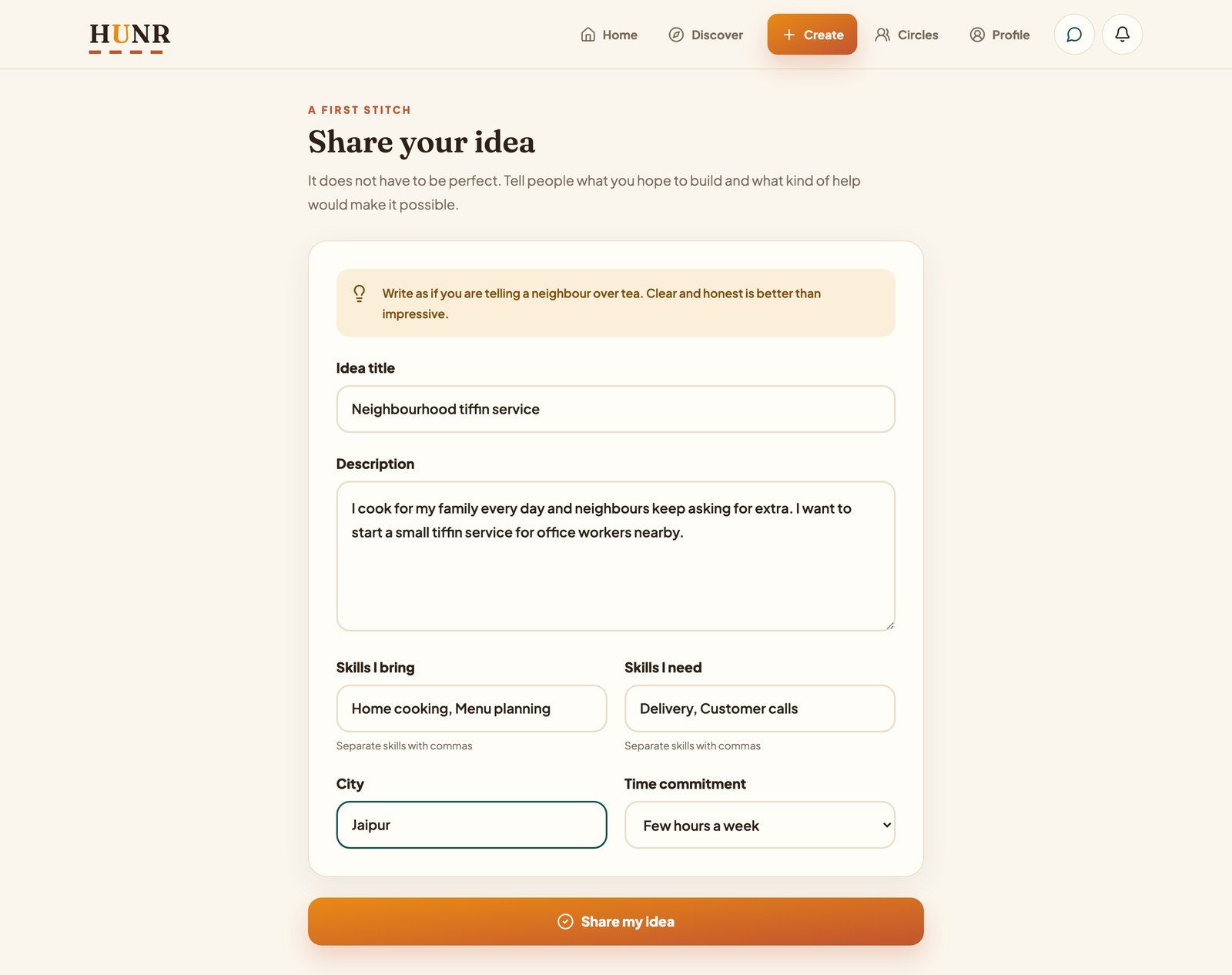
The prompt at the top: “Write as if you are telling a neighbour over tea. Clear and honest is better than impressive.” Step 4 · People
Find people, connect, and start talking
Discover lists people with their city, skills and what they are looking for. Connecting opens a private conversation between the two of you, and the other person is notified.
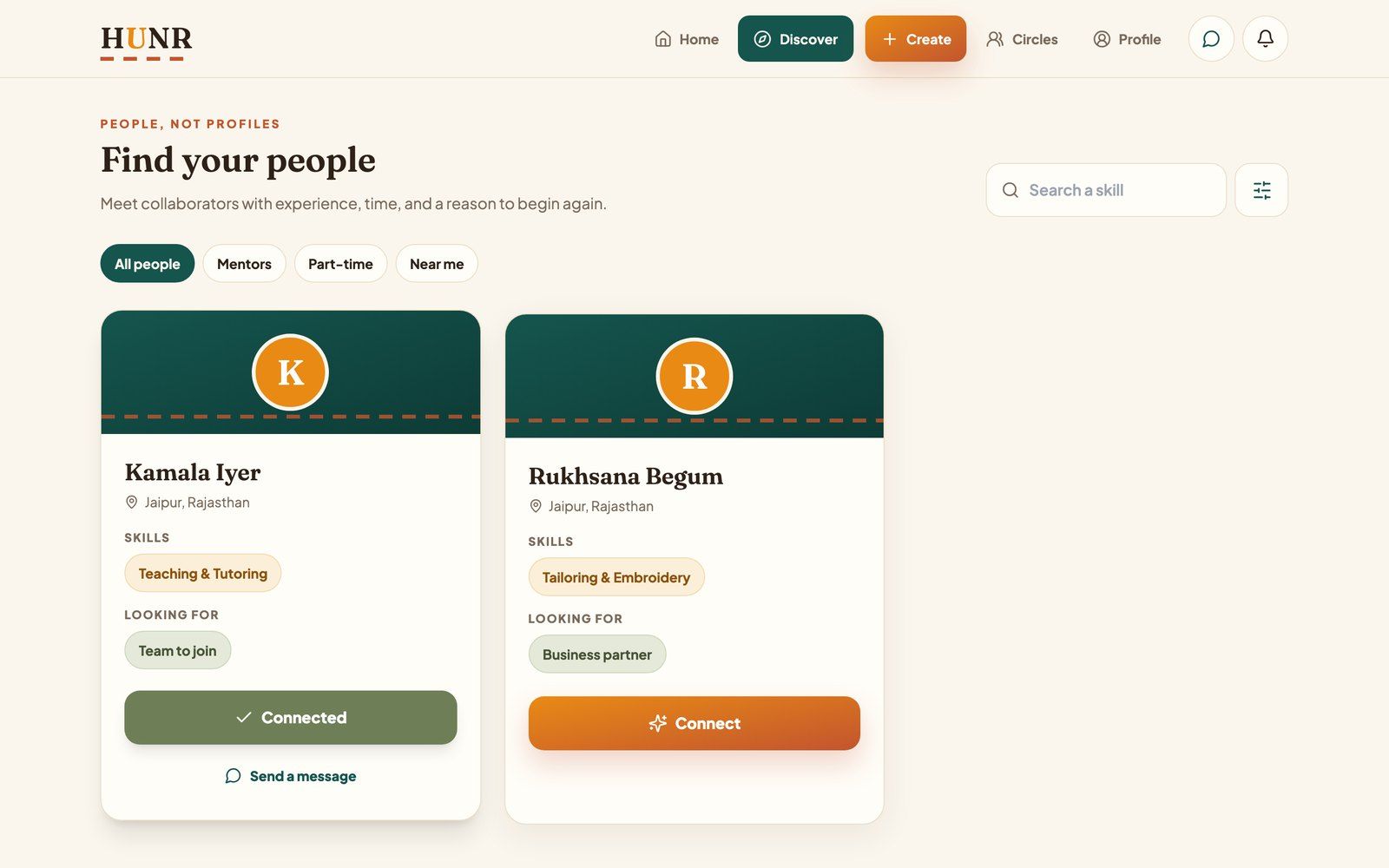
“People, not profiles”: skills and intentions come before anything else. Sample accounts. 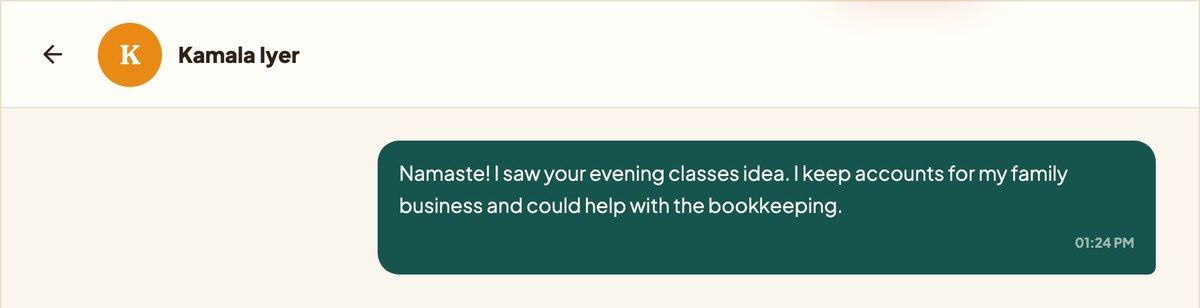
A first message, sent between two test accounts. 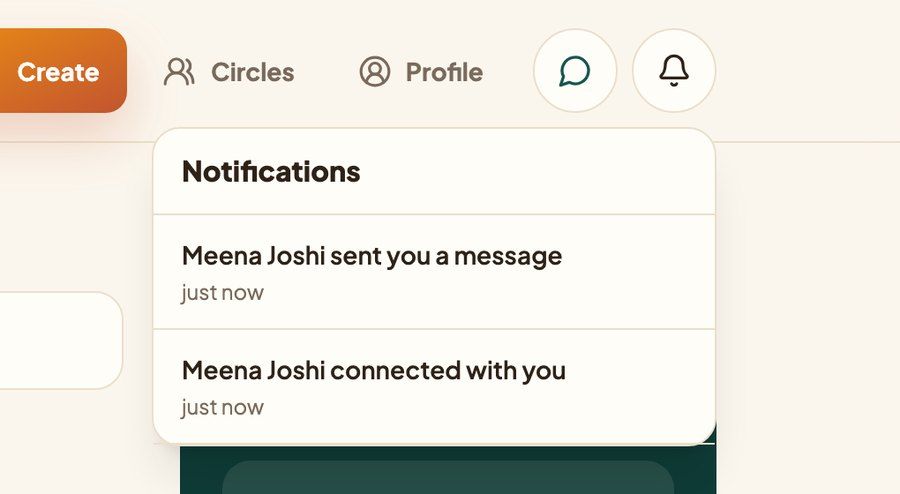
What the other account sees: the connection and the message both arrive as notifications. Step 5 · Profile
A profile that reads like a journey
Your profile shows your skills, who you hope to find and your ideas. Instead of stats, it has a short timeline of what you have done so far and one suggested next step.
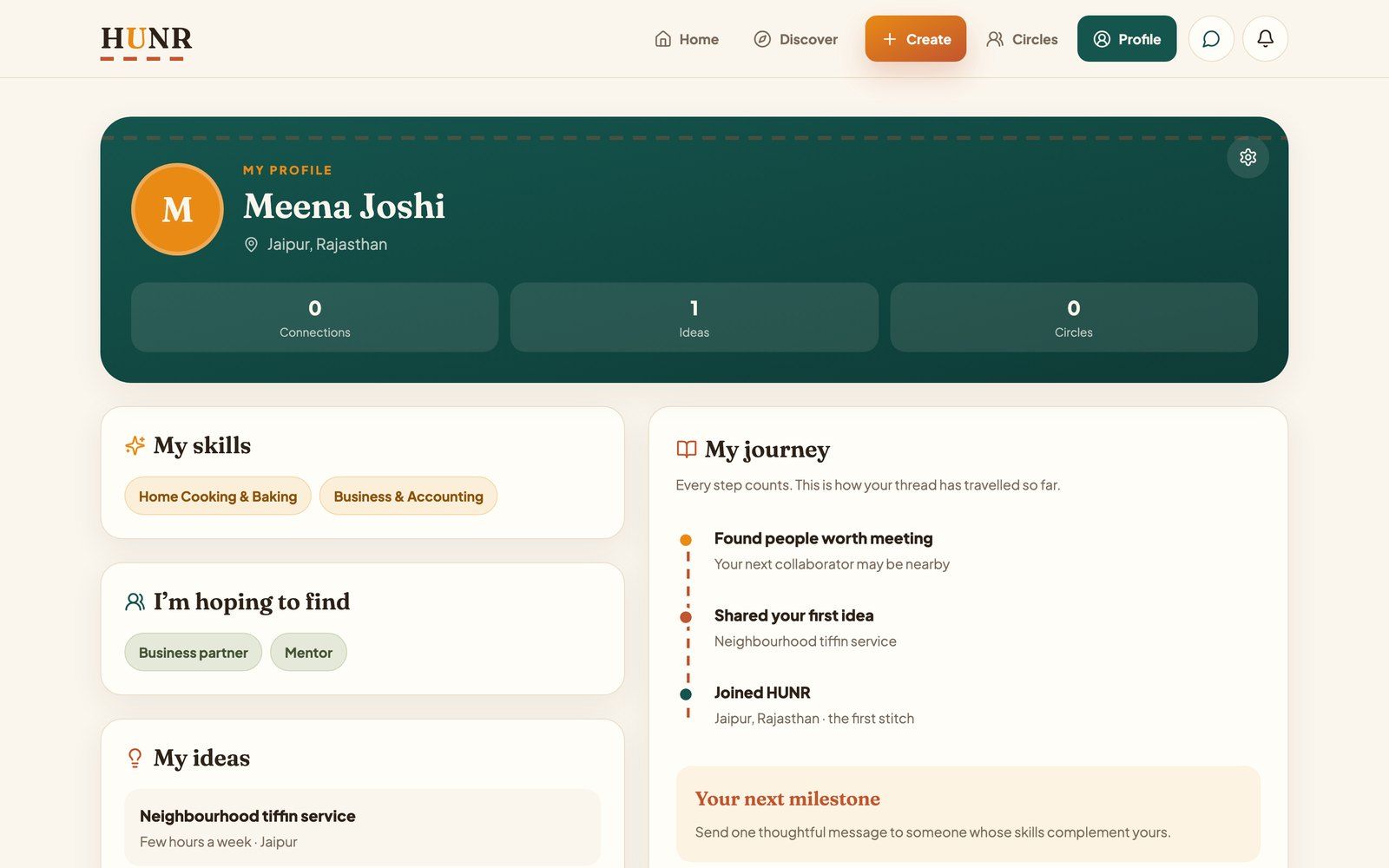
“Your next milestone: send one thoughtful message to someone whose skills complement yours.” The connection count here reads 0 because of the rules issue listed below.
At phone width
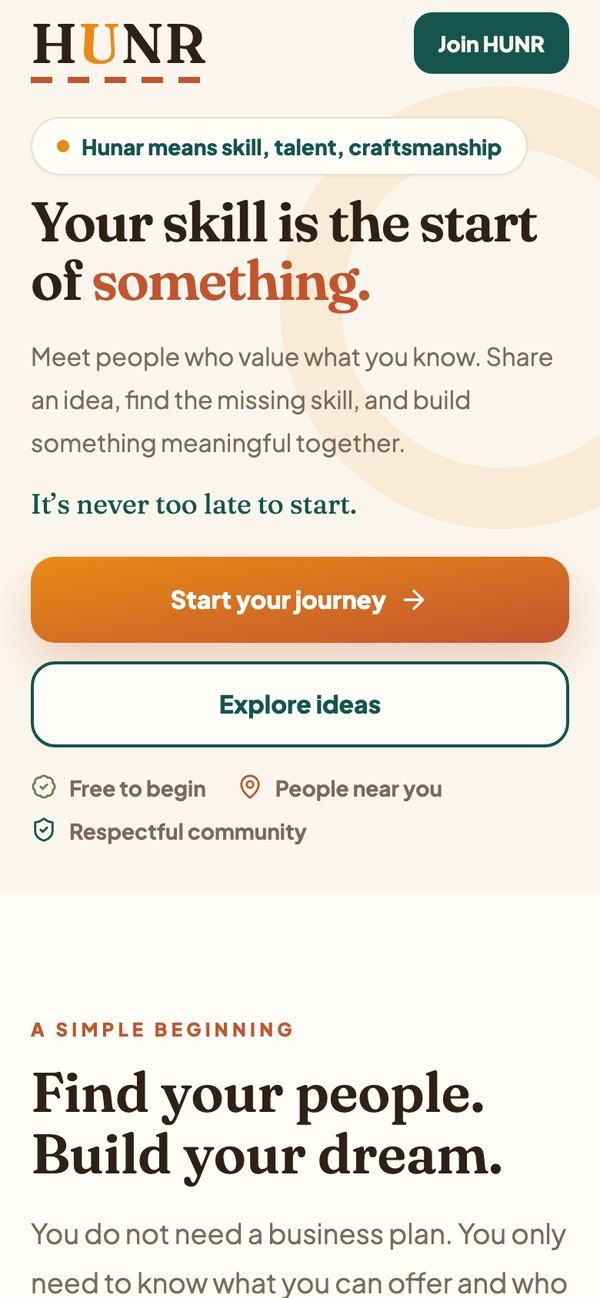
Landing 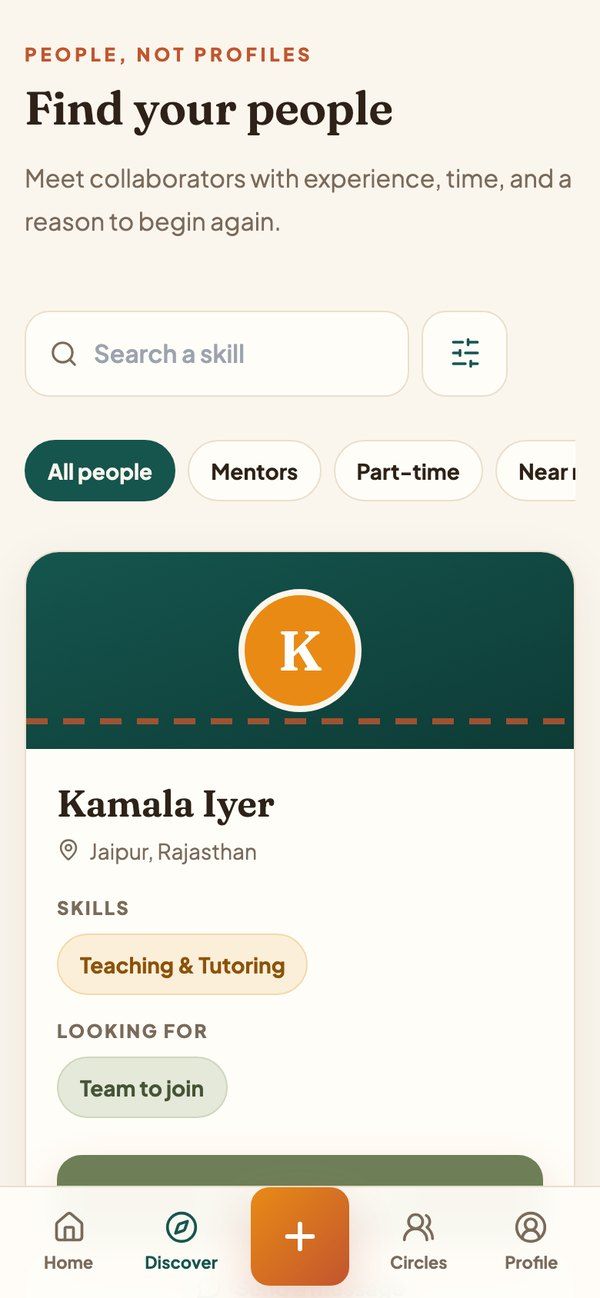
Discover 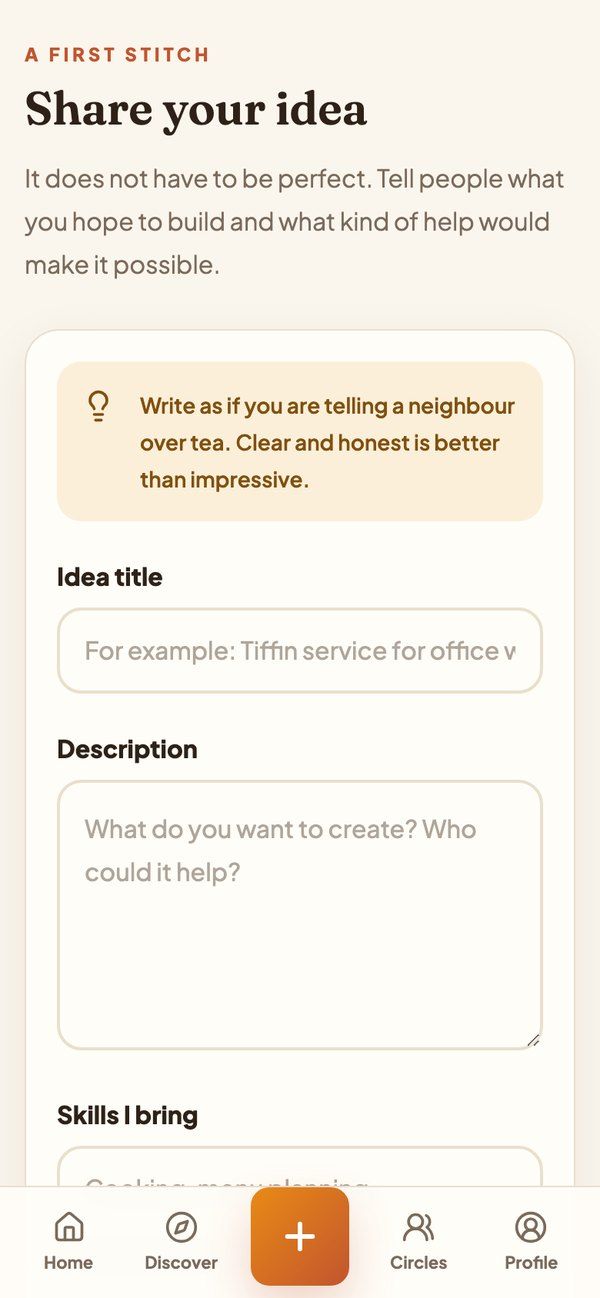
Share an idea 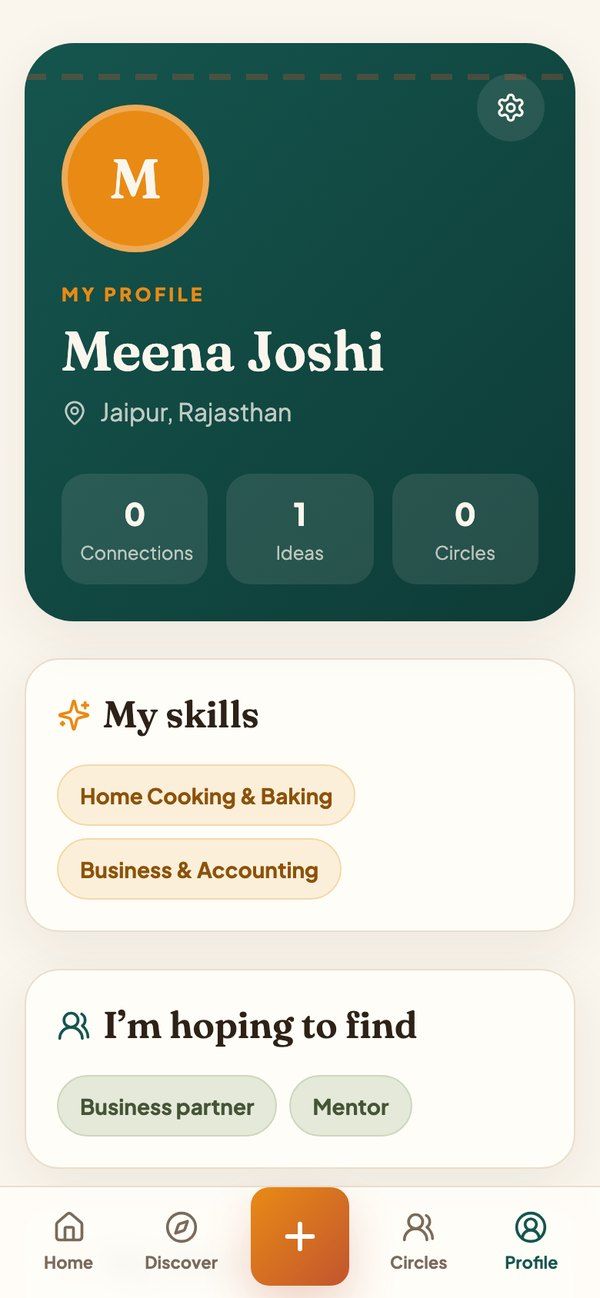
Profile
On phones the navigation moves to a bottom bar, with creating an idea as the large button in the middle.
04How it’s built
I am doing all of it myself: the concept, the name, the visual identity, the interface and both codebases.
- Identity. A warm palette of cream, saffron, terracotta and deep teal, a serif for headings and a stitched-thread motif that runs through the screens. It is meant to feel handmade and welcoming, not like a start-up tool.
- Web-App. React, TypeScript and Tailwind CSS on Vite, with 13 routes from the landing page through onboarding, feed, discovery, messaging and profile.
- Backend. Firebase Authentication plus Firestore for profiles, ideas, interest, connections, conversations, messages and notifications, updating live. Security rules limit each write to its owner or to the two people in a conversation.
- Mobile app. A React Native (Expo) version with the same screens and the same Firebase backend, with its iOS and Android projects set up.
05Where it stands
Checked by running the web app locally in September 2026. HUNR is not launched and has no real users yet.
Works today
- Accounts, and onboarding that saves skills, goals and city
- Shared idea feed: posting, searching, saving and showing interest
- Finding people, connecting, one-to-one messages and notifications
Main limitations
- The inbox and connection count don’t load yet, so conversations aren’t listed
- No reporting, blocking or sign-out yet
- “Near me” doesn’t match by location yet
Next milestone
A first closed test with real people: fix the inbox, add reporting, blocking and sign-out, then build the mobile app for internal testing.
Technical status and known limitations
Working
- Sign-up and log-in with email and password, backed by Firebase Authentication
- Four-step onboarding that saves your skills, goals and city to your profile
- A shared feed of ideas with search and topic filters
- Posting an idea, marking interest in someone else’s, and saving ideas
- A people directory you can filter by skill and city
- Connecting with someone and one-to-one messaging
- Notifications when someone connects, messages you or is interested in your idea
- Profile and profile editing, with security rules that let people change only their own data
Partial or not yet right
- The messages inbox and connection count do not load yet: the security rules reject those list queries, so a conversation works but is not listed.
- “Near me” is a label for now. There is no location matching behind it.
- Circles has a working screen, but no circles have been created yet.
- On small phones the home feed is slightly wider than the screen.
- There is no sign-out or settings screen yet, and Google sign-in is wired but untested.
- The mobile app mirrors the web app on the same backend and type-checks, but has not been built for either store.
- The stories on the landing page, such as the Jaipur pickle maker, are illustrative examples, not real members.
Planned
- Reporting and blocking. The landing page already promises it, so it has to exist before anyone real joins.
- Matching people by where they actually are.
- The first set of circles.
- Automated tests and internal test builds of the mobile app.